
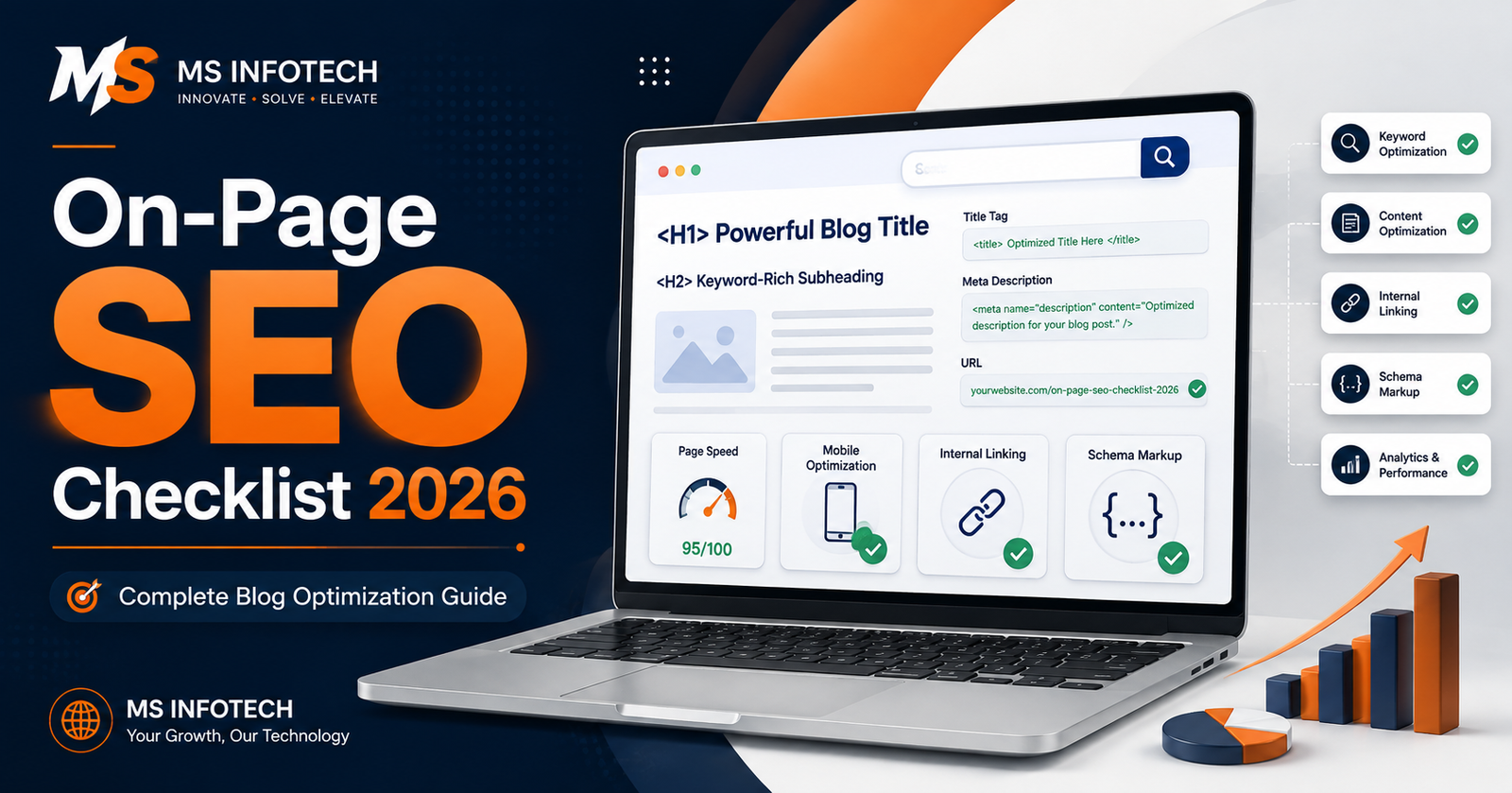
Publishing a webpage is easy. Making it understandable, useful, fast, and competitive in Google Search requires considerably more thought.You may have written detailed...
Publishing a webpage is easy. Making it understandable, useful, fast, and competitive in Google Search requires considerably more thought.
You may have written detailed content and included the right keyword, yet the page still fails to rank. In many cases, the problem is not one major mistake. It is a collection of smaller issues: an unclear title, weak search intent, poor internal linking, slow loading, missing image descriptions, or content that does not fully answer the visitor’s question.
This On-Page SEO Checklist 2026 explains the essential elements you should review before publishing or updating any important webpage. It is designed for business owners, bloggers, website developers, content writers, and marketing professionals who want a practical SEO process rather than a collection of outdated tricks.
At MS Infotech, we approach on-page SEO as a combination of useful content, clear page structure, technical accuracy, and a positive visitor experience.
What Is On-Page SEO?
On-page SEO is the process of improving individual webpages so that search engines can understand them and visitors can use them comfortably.
It includes visible elements such as:
- Page content
- Headings
- Images
- Links
- Calls to action
- Page layout
It also includes elements that visitors may not immediately notice:
- Title tag
- Meta description
- Canonical tag
- Structured data
- Image alt text
- Page speed
- Mobile responsiveness
- Crawlability and indexability
On-page SEO is not simply about placing a keyword several times. A page can contain the target keyword repeatedly and still perform poorly if it does not satisfy search intent or offer useful information.
Why On-Page SEO Still Matters in 2026
Search engines have become better at understanding context, language, entities, page relationships, and user intent. This does not make on-page SEO less important. It changes how on-page optimisation should be handled.
Google still needs clear signals to identify what a page covers. Visitors also need a reason to stay, trust the information, and take action.
Effective on-page SEO can help you:
- Make your content easier for Google to understand
- Match relevant search queries
- Improve organic click-through rates
- Create a better mobile experience
- Strengthen topical relevance
- Guide visitors towards useful pages
- Increase enquiries and conversions
- Prevent crawling and indexing problems
Google recommends creating content primarily for people rather than producing pages only to manipulate rankings. Its guidance also asks whether readers will leave a page feeling that they learned enough to achieve their goal. Google’s people-first content guidance should remain the foundation of any SEO checklist.
Complete On-Page SEO Checklist 2026
1. Identify the Page’s Search Intent
Before writing content, understand what the searcher expects to find.
Search intent usually falls into four broad categories:
- Informational: The user wants to learn something.
- Commercial: The user is comparing available solutions.
- Transactional: The user is ready to buy, book, download, or enquire.
- Navigational: The user wants to find a particular brand or page.
For example, someone searching “what is local SEO” probably wants an explanation. A person searching “local SEO company in Jaipur” is more likely to be evaluating service providers.
Those two keywords should not lead to identical pages.
Review the current search results and observe the types of pages appearing. Are they guides, product pages, service pages, category pages, tools, or videos? This gives you a practical indication of the format Google considers relevant to that query.
Checklist
- Is the primary search intent clear?
- Does the page type match the intent?
- Does the content give the expected answer?
- Is the call to action appropriate for the visitor’s stage?
2. Select One Clear Primary Keyword
Each important page should have a primary keyword or topic. This does not mean the page can rank for only one query. A well-created page may appear for several related phrases.
The primary keyword helps maintain focus.
Choose a term that is:
- Relevant to the page
- Connected to your business
- Suitable for the search intent
- Realistic for your website’s authority
- Capable of attracting useful visitors
Do not select a keyword only because it has high search volume. A lower-volume phrase with strong commercial relevance may generate better business results.
Checklist
- Have you selected a primary keyword?
- Is it relevant to the actual page?
- Does it match customer language?
- Can the page genuinely satisfy that search?
3. Include Related Keywords Naturally
Search engines can understand related words and concepts. You do not need to repeat the exact keyword in every paragraph.
For a page about on-page SEO, related terms may include:
- Title tags
- Meta descriptions
- Search intent
- Heading structure
- Internal links
- Image optimisation
- Page experience
- Core Web Vitals
- Structured data
- Keyword placement
Use these phrases where they help explain the subject. Avoid placing them only to achieve a predetermined keyword density.
There is no universal percentage that guarantees rankings. Content should read naturally first.
4. Write an Accurate and Compelling Title Tag
The title tag helps search engines and users understand the page. It can also influence whether someone chooses your result over another one.
A good title should:
- Clearly describe the page
- Include the main keyword naturally
- Match the search intent
- Be distinct from titles on other pages
- Give users a reason to click
- Avoid exaggerated promises
Example:
On-Page SEO Checklist 2026: 25 Essential Optimisation Steps
Do not create several pages with nearly identical titles. Every indexable page should have a descriptive and specific title.
Google may create a different title link in search results when it believes another version represents the page more effectively. A carefully written title tag still gives Google a useful source to consider.
Checklist
- Is the title unique?
- Does it explain the page clearly?
- Is the primary keyword included naturally?
- Is it written for real searchers?
- Does it avoid unnecessary repetition?
5. Create a Useful Meta Description
A meta description is a short summary of the page. It does not need to contain every possible keyword.
Its purpose is to help the searcher understand:
- What the page contains
- Who it is useful for
- What benefit it provides
Example:
“Use this On-Page SEO Checklist 2026 to improve content, titles, links, images, page speed, mobile usability and search visibility.”
Google may sometimes generate a snippet from the page instead of showing the submitted meta description. Even so, writing an accurate description is worthwhile.
Checklist
- Is the description unique?
- Does it accurately summarise the page?
- Does it include the primary topic naturally?
- Is it persuasive without being misleading?
- Does it avoid duplicated descriptions?
6. Use a Clean and Descriptive URL
A webpage URL should be simple enough for a visitor to understand.
Good example:
example.com/on-page-seo-checklist-2026
Poor example:
example.com/page.php?id=452&category=8
Avoid unnecessarily long URLs, random parameters, repeated folders, and meaningless characters. Changing an established URL without a proper reason can create additional SEO work, so plan the structure before publishing.
Google recommends organising URLs logically and making them understandable to people.
Checklist
- Is the URL short and descriptive?
- Does it use readable words?
- Are words separated with hyphens?
- Have unnecessary parameters been removed?
- Will the URL remain useful in the future?
7. Use One Clear H1 Heading
The H1 should clearly identify the main subject of the page. In most cases, one prominent H1 is enough.
The title tag and H1 do not need to be identical, but they should communicate the same central topic.
For example:
Title Tag: On-Page SEO Checklist 2026: Complete Guide
H1: On-Page SEO Checklist 2026 for Better Google Rankings
Do not use the H1 only for a company slogan when the page is supposed to target a specific service or topic.
8. Organise the Page with H2 and H3 Headings
Headings make long content easier to read. They also help search engines understand how different sections relate to the main topic.
Use:
- H1 for the main page heading
- H2 for major sections
- H3 for supporting sections
- H4 only when deeper organisation is genuinely necessary
Do not choose heading tags merely because of their visual size. Use CSS for appearance and HTML headings for structure.
Checklist
- Does the heading hierarchy follow a logical order?
- Can readers scan the page quickly?
- Do headings accurately describe their sections?
- Are keywords used only where they fit naturally?
9. Answer the Main Question Early
Long introductions often lose the reader before reaching the useful information.
The opening section should confirm that the visitor has reached the correct page. Give a clear explanation or initial answer before expanding into details.
If someone searches for a checklist, show them that the page contains an actual checklist. If they search for a service, explain the service, who it helps, and how it works.
Do not force visitors to read several promotional paragraphs before receiving an answer.
10. Create People-First Content
High-quality content should leave the visitor with fewer unanswered questions.
Ask:
- Does the content solve the reader’s problem?
- Does it contain original experience or insight?
- Are important claims accurate?
- Is the information current?
- Is the writing clear?
- Is the page more useful than a basic summary?
- Does the author understand the subject?
- Can visitors identify who created the content?
Google’s guidance encourages clear authorship and evaluates content through the questions of who created it, how it was produced, and why it exists. Trust is the most important part of its E-E-A-T framework.
Add an accurate author name and, where suitable, link it to a helpful biography showing relevant experience.
11. Use AI Content Carefully
AI can help with research, outlines, summaries, editing, and idea generation. It should not be used to publish hundreds of low-value pages.
Google’s current guidance says generative AI can be helpful for researching and structuring original content. However, generating many pages without adding value may violate its policy against scaled content abuse. Google’s guidance on generative AI content emphasises accuracy, quality, and relevance.
Every AI-assisted page should be reviewed for:
- Incorrect facts
- Invented statistics
- Repetitive phrasing
- Generic advice
- Unnatural transitions
- Unsupported claims
- Inconsistent tone
- Missing original experience
AI may help produce the first version. A knowledgeable person should be responsible for the final one.
12. Demonstrate Experience and Trust
A page becomes more credible when it includes evidence of real understanding.
Depending on the subject, this may include:
- Original examples
- Screenshots
- Case studies
- Author information
- Customer results
- Clear business details
- Transparent pricing
- References to reliable sources
- A visible editorial or review process
- Updated publication information
For sensitive financial, health, legal, or safety-related topics, accuracy and expert review are especially important.
Do not add an expert’s name only as decoration. The person should genuinely contribute to or review the information.
13. Improve Readability
A page can contain excellent information and still be difficult to use.
Make content more comfortable to read by using:
- Short and medium-length paragraphs
- Descriptive headings
- Bulleted lists
- Tables for comparisons
- Plain language
- Examples
- Sufficient spacing
- Readable fonts
- Strong colour contrast
Avoid writing every sentence at the same length. Natural writing has rhythm. Some points need detailed explanation. Others need only a direct sentence.
14. Optimise Images Properly
Images can strengthen a page, explain a concept, and attract traffic from image search. They can also slow the website when handled poorly.
For every important image:
- Use a relevant visual
- Compress the file
- Select an appropriate format
- Define width and height
- Use a descriptive filename
- Add useful alt text
- Load below-the-fold images lazily
- Avoid placing essential information only inside an image
- Provide a high-resolution featured image
Alt text should explain the image’s purpose to users who cannot see it. It is not a place to insert a long list of keywords.
Google’s current image guidance recommends relevant, representative, high-quality images and advises against using generic logos or overly text-heavy images as the main image for structured data and social metadata. Google Image SEO best practices
15. Add Contextual Internal Links
Internal links help users discover related information and help search engines understand the structure of your website.
For example, a blog about on-page SEO could link to relevant pages covering:
- SEO services
- Technical SEO
- Local SEO
- Content marketing
- Website speed optimisation
- Search Console setup
Use descriptive anchor text. “Learn more about our local SEO services” gives more context than “click here.”
Do not add dozens of unrelated links merely to increase their number. Every link should support the reader’s journey.
Checklist
- Are important related pages linked?
- Is the anchor text descriptive?
- Do all links work?
- Are orphan pages connected to the website?
- Are links placed where they are contextually useful?
16. Link to Reliable External Sources
External links can help readers verify important information and explore a subject further.
Link directly to the original or authoritative source when referencing policies, research, statistics, or technical guidance. Avoid citing a low-quality article when an official source is available.
External links do not weaken a page simply because they lead visitors elsewhere. A relevant reference can improve usefulness and trust.
17. Check Crawlability and Indexability
A perfectly optimised page cannot rank if Google cannot access or index it.
Before publishing, confirm that:
- The page returns a successful HTTP status
- It is not blocked in
robots.txt - It does not contain an accidental
noindexdirective - Internal links can reach it
- It appears in the XML sitemap
- Important content is available to Googlebot
- The canonical tag points to the correct URL
Use Google Search Console’s URL Inspection tool to see how Google views the page. Google’s developer guidance specifically recommends checking Googlebot access, robots.txt, and noindex rules when content is missing from Search. Google’s SEO guide for developers
18. Add the Correct Canonical Tag
Duplicate or very similar URLs can divide signals and create unnecessary crawling.
A canonical tag tells Google which URL you prefer as the main version. This is useful when similar pages are accessible through tracking parameters, filters, print versions, or multiple URL paths.
The canonical URL should:
- Return a valid page
- Be indexable
- Contain the preferred content
- Match your internal linking
- Be included in the sitemap
- Use the preferred HTTPS and hostname version
Do not automatically set every canonical tag to the homepage.
19. Use Structured Data Where Appropriate
Structured data helps Google understand certain page types and may make them eligible for rich search features.
Depending on the website, suitable markup may include:
- Organization
- LocalBusiness
- Product
- Article
- Breadcrumb
- Event
- JobPosting
- Recipe
- VideoObject
Only use structured data that accurately represents visible page content. Adding review markup when no genuine reviews appear on the page is misleading.
Validate the markup using Google’s Rich Results Test and monitor Search Console for errors.
Structured data can create eligibility for enhanced results, but it does not guarantee that Google will display them.
20. Make the Page Mobile-Friendly
Google crawls and indexes websites using a smartphone crawler. Content that is not accessible on mobile may not be indexable.
Check the page on an actual mobile phone, not only by reducing the width of a desktop browser.
Review:
- Text size
- Button spacing
- Menu behaviour
- Forms
- Tables
- Images
- Video width
- Pop-ups
- Sticky elements
- Call and WhatsApp buttons
- Loading speed
The mobile page should contain the same important content, metadata, and structured data as the desktop version.
21. Improve Core Web Vitals
Core Web Vitals measure real-world loading performance, responsiveness, and visual stability.
Google’s recommended “good” thresholds are:
- LCP: 2.5 seconds or less
- INP: 200 milliseconds or less
- CLS: 0.1 or less
These measurements should generally be assessed at the 75th percentile of page loads.
Use Search Console, PageSpeed Insights, Chrome DevTools, and Lighthouse to identify problems. Google’s Core Web Vitals documentation explains the metrics and thresholds.
Common improvements include:
- Compressing large images
- Preloading the main visual
- Removing unnecessary scripts
- Reducing JavaScript work
- Reserving space for images and advertisements
- Improving server response time
- Using caching
- Limiting heavy third-party widgets
Do not chase a perfect score while ignoring content and conversions. Page performance should improve the visitor’s experience.
22. Use HTTPS and Check Website Security
Serve every important page through HTTPS. Make sure the SSL certificate is valid and that HTTP versions redirect properly to HTTPS.
Also check for:
- Mixed-content errors
- Malware warnings
- Unsecured forms
- Outdated plugins
- Weak admin passwords
- Exposed configuration files
- Unnecessary user permissions
Website security is not only an SEO issue. It directly affects customer trust.
23. Avoid Intrusive Pop-Ups
A full-screen pop-up appearing as soon as someone opens a page can make the content difficult to access, especially on mobile.
Google advises using smaller banners instead of intrusive interstitials that obscure the main content. Google’s interstitial guidance notes that disruptive overlays can frustrate visitors and make content harder for search engines to understand.
If you use a lead form, newsletter prompt, or promotional message:
- Allow visitors to view the content first
- Make the close button visible
- Avoid covering the whole mobile screen
- Do not trigger several pop-ups together
- Use a compact banner where possible
24. Add a Clear Call to Action
SEO traffic has limited business value if visitors do not know what to do next.
The call to action should match the page:
- Contact us
- Request a quote
- Book a consultation
- Call now
- Send a WhatsApp message
- Download the guide
- View the related service
- Compare available plans
Do not place an aggressive sales message after every paragraph. Give the visitor useful information first and present the next step naturally.
25. Review the Page After Publishing
On-page SEO is not finished when the page goes live.
After publishing:
- Inspect the URL in Search Console
- Confirm that it can be indexed
- Test the page on mobile
- Check the title and description
- Validate structured data
- Review Core Web Vitals
- Monitor search queries and clicks
- Fix broken links
- Update outdated information
- Improve sections that are not helping visitors
Do not change the publication date merely to make old information appear new. Update the actual content when meaningful changes are needed.
Quick On-Page SEO Checklist 2026
Before publishing, confirm the following:
- Search intent is clear
- One primary topic has been selected
- Related terms are used naturally
- Title tag is unique and descriptive
- Meta description is accurate
- URL is short and readable
- One clear H1 is present
- H2 and H3 headings follow a logical structure
- The main answer appears early
- Content is original, useful, and accurate
- Author information is visible where appropriate
- Images are compressed and have suitable alt text
- Internal links connect relevant pages
- External claims link to reliable sources
- The page is crawlable and indexable
- The canonical URL is correct
- Structured data is valid and relevant
- Mobile design works properly
- Core Web Vitals have been reviewed
- HTTPS is active
- Intrusive pop-ups are avoided
- The call to action is clear
- The page has been tested after publishing
Common On-Page SEO Mistakes to Avoid
Even experienced website owners can fall into familiar patterns:
- Writing for a word count instead of answering the question
- Repeating the primary keyword unnaturally
- Using the same title and description across many pages
- Creating location pages with only the city name changed
- Adding headings without a logical hierarchy
- Publishing AI content without reviewing it
- Uploading oversized images
- Forgetting internal links
- Blocking important pages from indexing
- Using incorrect canonical URLs
- Adding schema for content that is not visible
- Ignoring the mobile version
- Covering content with pop-ups
- Updating dates without improving the information
- Measuring rankings without tracking enquiries or sales
A checklist helps prevent these problems, but it should not turn optimisation into a mechanical exercise. Every page has a different audience and purpose.
How MS Infotech Can Help with On-Page SEO
A website may have hundreds of pages, and each page can contain different content, technical, and usability issues. Finding the most important problems requires more than running an automated audit.
MS Infotech provides practical on-page SEO services for businesses that want to improve search visibility and generate relevant enquiries.
Our work may include:
- Keyword and search-intent research
- Content audits
- Title and meta description optimisation
- Heading and page-structure improvements
- Internal-link planning
- Image optimisation
- Schema markup
- Mobile usability reviews
- Core Web Vitals analysis
- Crawlability and indexing checks
- Service and location page optimisation
- Conversion-focused recommendations
We combine SEO knowledge with website development experience, allowing us to identify both content-related and technical issues.
Final Thoughts
The most effective On-Page SEO Checklist 2026 is not built around keyword repetition or quick ranking tricks. It brings together relevant content, accurate metadata, logical structure, technical accessibility, mobile usability, page performance, and visitor trust.
Begin with the searcher’s need. Create the best answer your business can genuinely provide. Then make sure search engines can access, understand, and present that answer correctly.
SEO works best when a page is created for people and carefully structured for search engines.
If your website has useful content but is not achieving the expected visibility, MS Infotech can review its on-page SEO and build a focused improvement plan based on your business goals.