
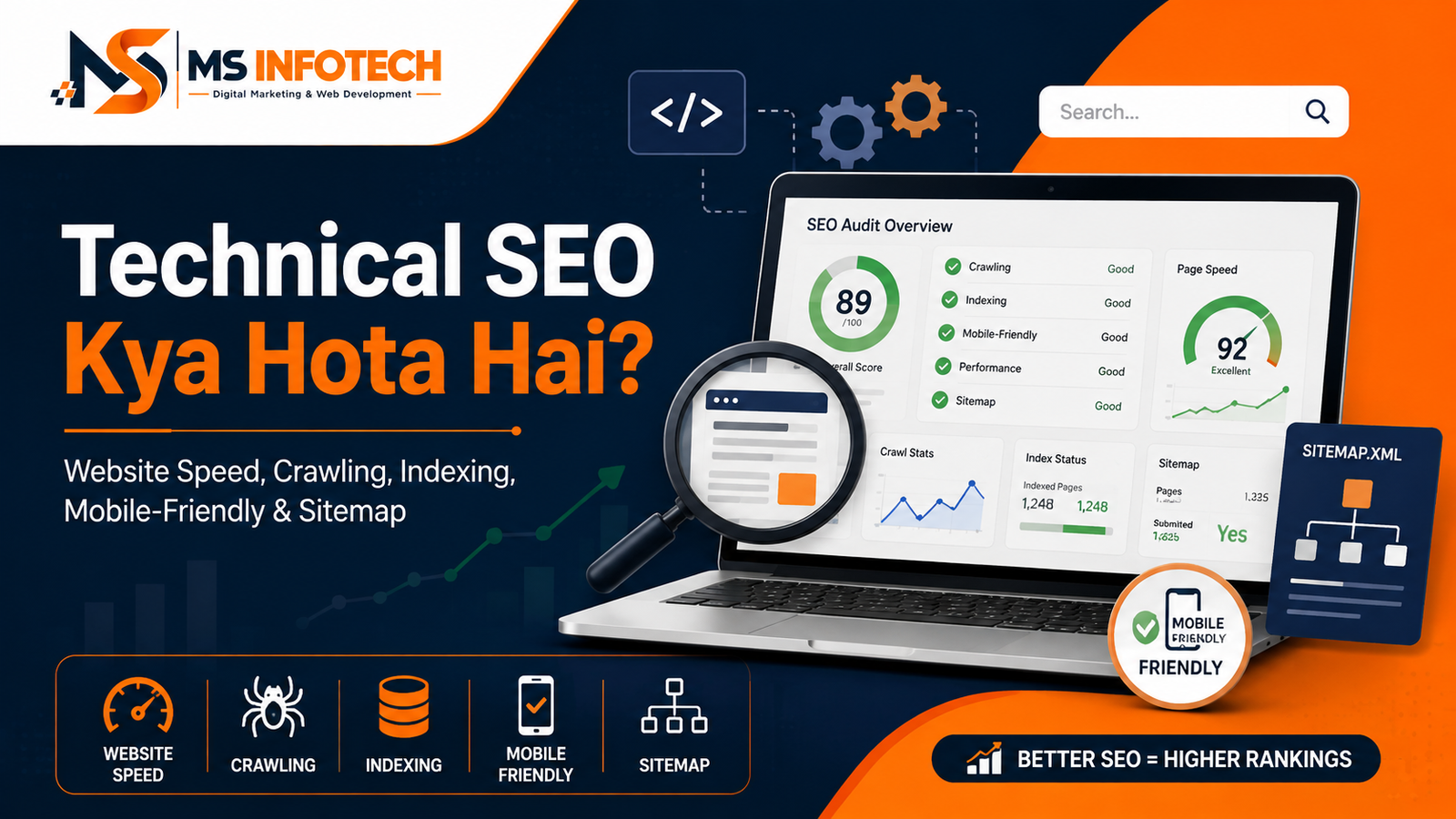
Technical SEO ke through crawling, indexing, speed, security aur website performance improve karna aasaan tarike se samjhein
Aapne website par useful content publish kiya, target keywords bhi naturally use kiye aur design bhi professional banaya. Phir bhi pages Google mein index nahi ho rahe ya expected ranking nahi mil rahi. Aisi situation mein problem content ke andar nahi, website ke technical setup mein ho sakti hai.
Yahin par Technical SEO ka role shuru hota hai.
Technical SEO Kya Hota Hai? Simple shabdon mein, Technical SEO website ke technical structure ko optimise karne ki process hai, jisse search engines pages ko aasani se discover, crawl, render, understand aur index kar sakein.
Iska goal sirf Googlebot ko khush karna nahi hai. Achhi Technical SEO website ko users ke liye fast, secure, mobile-friendly aur easy to navigate bhi banati hai.
Is detailed guide mein MS Infotech aapko Technical SEO ka meaning, importance, essential elements, audit process aur common mistakes practical Hinglish mein samjha raha hai.
Technical SEO Kya Hai?
Technical SEO, Search Engine Optimisation ka woh part hai jo website ki technical foundation ko improve karta hai.
Ismein aam taur par ye areas shamil hote hain:
- Website crawling
- Page indexing
- Website speed
- Mobile responsiveness
- URL structure
- XML sitemap
- Robots.txt
- Canonical tags
- HTTPS security
- Structured data
- Redirects
- Broken links
- HTTP status codes
- JavaScript rendering
- Core Web Vitals
- Website architecture
- Duplicate content management
Agar search engine aapke webpage ko access ya understand nahi kar sakta, to high-quality content bhi search results mein perform nahi kar paayega.
Technical SEO website aur search engine ke beech ek clear road system banati hai. Agar roads blocked, confusing ya broken hon, to search engine ko important pages tak pahunchne mein problem hogi.
Technical SEO Aur On-Page SEO Mein Kya Difference Hai?
Technical SEO aur on-page SEO ek doosre se connected hain, lekin dono ka focus alag hota hai.
| Technical SEO | On-Page SEO |
|---|
| Crawling aur indexing improve karta hai | Page content ko optimise karta hai |
| Website speed check karta hai | Keyword placement improve karta hai |
| Sitemap aur robots.txt manage karta hai | Title aur meta description optimise karta hai |
| Canonical aur redirects handle karta hai | Headings aur content structure improve karta hai |
| Mobile aur security issues fix karta hai | Search intent aur readability par focus karta hai |
| Structured data implement karta hai | Internal links aur images optimise karta hai |
Example ke liye, agar ek blog post ka content strong hai lekin page par accidental noindex tag laga hua hai, to on-page optimisation ke bawajood woh Google mein appear nahi karega.
Best SEO results ke liye Technical SEO, on-page SEO, content aur off-page authority ko ek saath kaam karna hota hai.
Technical SEO Kyon Zaroori Hai?
Search engine ko website ka page rank karne se pehle uske baare mein pata hona chahiye. Phir use page crawl aur index karna hota hai.
Google Search generally teen major stages mein kaam karta hai:
- Crawling: Googlebot naye aur updated URLs discover karta hai.
- Indexing: Google page ke content aur meaning ko process karta hai.
- Serving: Relevant query ke liye suitable indexed pages search results mein dikhaye jaate hain.
Google pages ko known pages ke links aur submitted sitemaps ke through discover kar sakta hai. Lekin discover hua har URL automatically crawl, index ya rank ho, ye zaroori nahi hai. Google ka Search process is workflow ko detail mein explain karta hai.
Technical SEO help karti hai:
- Search engines ko important pages find karne mein
- Unwanted pages ko control karne mein
- Duplicate URLs manage karne mein
- Mobile users ko better experience dene mein
- Website loading improve karne mein
- Security aur trust badhane mein
- Rich-result eligibility support karne mein
- Crawl aur indexing errors identify karne mein
- Website migration ke dauran traffic protect karne mein
Technical SEO ranking ki guarantee nahi hai, lekin weak technical foundation ranking opportunities ko limit kar sakti hai.
Technical SEO Ke Important Elements
Website Crawling
Crawling woh process hai jisme Googlebot aur doosre search-engine crawlers website ke pages visit karke unki information collect karte hain.
Crawler kisi page tak commonly in sources se pahunch sakta hai:
- Internal links
- External backlinks
- XML sitemap
- Previously known URLs
- Redirects
Agar important page website ke kisi bhi doosre page se linked nahi hai, to use orphan page kaha ja sakta hai. Aise page ko discover karna difficult ho sakta hai.
Crawling Improve Karne Ke Tarike
- Important pages ko internal links dein
- Navigation clear rakhein
- Valid XML sitemap submit karein
- Broken links fix karein
- Robots.txt rules review karein
- JavaScript-dependent navigation ko test karein
- Search Console URL Inspection use karein
Google ki crawling aur indexing documentation sitemaps, robots.txt, canonicalisation, mobile sites, JavaScript aur metadata jaise important technical areas ko cover karti hai. Google Crawling and Indexing Guide
Indexing
Crawling aur indexing same cheez nahi hain.
Google kisi page ko crawl kar sakta hai, lekin zaroori nahi ki use index bhi kare. Indexing ke dauran search engine page ke content, images, videos, metadata aur duplicate relationships ko analyse karta hai.
Page index na hone ke possible reasons:
- Accidental
noindextag - Robots.txt blocking
- Low-value ya duplicate content
- Incorrect canonical
- Server error
- Login ke peeche content
- Weak internal linking
- Soft 404
- Page ka proper load na hona
- Google ko page useful na lagna
Search Console ka URL Inspection tool bata sakta hai ki URL Google mein available hai ya nahi, last crawl kab hua aur Google ne kaunsa canonical select kiya.
“Request Indexing” button useful ho sakta hai, lekin ye immediate indexing ya ranking guarantee nahi karta.
XML Sitemap
XML sitemap search engines ko website ke important URLs ki organised list provide karta hai.
Ek achhe XML sitemap mein generally sirf ye pages hone chahiye:
- Canonical URLs
- Indexable pages
- Successful status return karne wale pages
- Updated aur useful URLs
- Search mein dikhane layak content
Sitemap mein ye URLs include nahi karne chahiye:
- Redirected pages
- 404 pages
noindexpages- Duplicate parameter URLs
- Staging pages
- Admin pages
- Private user pages
Sitemap ko Search Console mein submit kiya ja sakta hai. Sitemap Google ko pages discover karne mein help karta hai, lekin har submitted URL ke index hone ki guarantee nahi deta.
Robots.txt File
Robots.txt file crawlers ko batati hai ki website ke kaun se sections request kiye ja sakte hain aur kaun se nahi.
Example:
User-agent: *
Disallow: /admin/
Disallow: /private/
Sitemap: https://example.com/sitemap.xml
Robots.txt ka use generally crawling control karne ke liye hota hai, indexing remove karne ke liye nahi.
Agar aap kisi page ko Google Search se hatana chahte hain, to situation ke according noindex, password protection, removal tool ya proper status code ki zaroorat ho sakti hai.
Common Robots.txt Mistakes
- Puri website ko block kar dena
- CSS aur JavaScript files block karna
- Live site par staging rules chhod dena
- Important category pages block karna
- Sitemap location update na karna
- Robots.txt ko security feature samajhna
Sensitive information ko sirf robots.txt se protect nahi karna chahiye, kyunki file publicly accessible hoti hai.
Website Architecture
Website architecture batati hai ki pages ek doosre ke saath kaise organised aur connected hain.
Ideal structure simple ho sakta hai:
Home
- Services
- SEO Services
- Web Development
- Google Ads
- Products
- About
- Blog
- Contact
Important pages homepage se bahut zyada clicks door nahi hone chahiye.
Flat aur logical architecture se:
- Crawling easy hoti hai
- Internal authority distribute hoti hai
- Users navigation samajh paate hain
- Breadcrumbs meaningful bante hain
- Orphan pages kam hote hain
Har page ko menu mein add karna zaroori nahi hai. Lekin important page tak crawlable internal link available hona chahiye.
Clean URL Structure
URL short, readable aur descriptive hona chahiye.
Good URL:
example.com/technical-seo-services
Poor URL:
example.com/index.php?page=54&id=782
URL structure ke best practices:
- Lowercase letters use karein
- Words separate karne ke liye hyphens use karein
- Unnecessary parameters avoid karein
- Repeated folders remove karein
- Keyword naturally use karein
- Permanent structure plan karein
- HTTPS version consistently use karein
Established URLs ko bina reason change na karein. Agar URL change zaroori hai, to old URL se relevant new URL par permanent redirect set karein.
HTTPS Security
HTTPS user ke browser aur website ke beech data ko encrypt karta hai.
Website par valid SSL certificate hona chahiye. Saath hi:
- HTTP se HTTPS redirect ho
wwwaur non-wwwka preferred version select ho- Canonicals HTTPS ko point karein
- Sitemap mein HTTPS URLs hon
- Internal links HTTPS use karein
- Mixed-content errors na hon
- Certificate expired na ho
Contact forms, login pages aur payment information ke liye HTTPS especially important hai. Lekin modern website ke sabhi public pages secure connection par serve hone chahiye.
Mobile-Friendly Website
Google website ke mobile version ko crawling aur indexing ke liye use karta hai. Isliye desktop website achhi dikhna enough nahi hai.
Mobile version par check karein:
- Text readable hai?
- Buttons ke beech sufficient space hai?
- Menu properly open hota hai?
- Images screen ke bahar to nahi ja rahi?
- Tables responsive hain?
- Forms fill karna easy hai?
- Important content hidden to nahi?
- Pop-up pura screen cover to nahi karta?
- Call aur WhatsApp buttons content block to nahi kar rahe?
- Page reasonable speed se load ho raha hai?
Mobile aur desktop versions par important content, title, meta description, structured data aur internal links consistent hone chahiye.
Website Speed
Slow website user ko wait karwati hai. Bahut se visitors page load hone se pehle hi exit kar sakte hain.
Website slow hone ke common reasons:
- Oversized images
- Heavy sliders
- Unnecessary plugins
- Excess JavaScript
- Cheap ya overloaded hosting
- Unoptimised database
- Too many font files
- Multiple tracking scripts
- No browser caching
- Render-blocking resources
- Third-party widgets
Website speed improve karne ke liye:
- Images compress aur resize karein
- Modern image formats consider karein
- Browser caching configure karein
- CSS aur JavaScript optimise karein
- Unused code remove karein
- Server response improve karein
- CDN suitable ho to use karein
- Below-the-fold images lazy load karein
- Critical resources prioritise karein
Sirf homepage test na karein. Service pages, blogs, products aur contact pages bhi check karein.
Core Web Vitals
Core Web Vitals real-world user experience ke teen important aspects measure karte hain:
Largest Contentful Paint
LCP main visible content ki loading performance measure karta hai. Google good experience ke liye LCP ko 2.5 seconds ke andar rakhne ki recommendation deta hai.
Interaction to Next Paint
INP user interaction ke baad page ki responsiveness measure karta hai. Good threshold 200 milliseconds se kam hai.
Cumulative Layout Shift
CLS unexpected visual movement measure karta hai. Good score 0.1 ya usse kam hai.
Google recommend karta hai ki website owners good Core Web Vitals achieve karne ki koshish karein, lekin perfect score ranking ki guarantee nahi hai. Content relevance aur overall page experience bhi important hain. Google Core Web Vitals guidance
Core Web Vitals ko check karne ke liye:
- Google Search Console
- PageSpeed Insights
- Chrome DevTools
- Lighthouse
- Chrome User Experience data
Lab data aur real-user field data alag ho sakte hain. Dono ko context ke saath analyse karein.
Canonical Tags
Kabhi-kabhi same ya similar content multiple URLs par available hota hai.
Example:
example.com/productexample.com/product?source=facebookexample.com/category/productwww.example.com/product
Canonical tag search engine ko preferred version ka signal deta hai.
Example:
Canonical implementation mein consistency important hai:
- Internal links preferred URL ko point karein
- Sitemap mein canonical URL ho
- Duplicate pages same preferred URL indicate karein
- Redirects canonical decision ke saath align hon
- Canonical indexable page ko point kare
Canonical ek signal hai, absolute directive nahi. Google doosre signals dekhkar different canonical choose kar sakta hai.
Common Canonical Mistakes
- Har page ka canonical homepage par set karna
- 404 URL ko canonical banana
- HTTP URL ko canonical banana
- Paginated pages ko galat tarike se consolidate karna
- Duplicate pages par conflicting tags
- Sitemap aur canonical mein different URLs
Duplicate Content
Duplicate content ka matlab identical ya significantly similar content multiple URLs par available hona hai.
Possible causes:
- HTTP aur HTTPS versions
wwwaur non-www- URL parameters
- Print pages
- Product filters
- Category duplication
- Session IDs
- Same location pages
- Trailing-slash variations
- Copied manufacturer descriptions
Duplicate content automatically penalty nahi hota, lekin crawling waste, incorrect canonical selection aur divided signals create kar sakta hai.
Solutions situation ke according ho sakte hain:
- Canonical tag
- 301 redirect
- Parameter control
- Internal link consistency
- Unique content
noindex- URL structure correction
Redirects
Redirect user aur search engine ko ek URL se doosre URL par bhejta hai.
301 Redirect
Temporary move ke liye suitable hota hai.
Redirects ki zaroorat ho sakti hai jab:
- Page URL change ho
- Website HTTP se HTTPS par shift ho
- Domain change ho
- Duplicate versions consolidate hon
- Old product ka suitable replacement ho
- Website structure update ho
Redirect Mistakes
- Redirect chains
- Redirect loops
- Har deleted URL ko homepage par bhejna
- Relevant replacement na choose karna
- Internal links mein old redirected URLs rakhna
- JavaScript redirects par unnecessary depend karna
Old URL ko sabse relevant new page par redirect karein. Agar suitable replacement nahi hai, to proper 404 ya 410 response better ho sakta hai.
HTTP Status Codes
Server ka HTTP response search engine ko page ki condition batata hai.
Common status codes:
- 200: Page successfully available hai
- 301: Page permanently move ho gaya
- 302: Temporary redirect
- 404: Page nahi mila
- 410: Page permanently remove ho gaya
- 429: Too many requests
- 500: Internal server error
- 503: Service temporarily unavailable
Website par frequent 5xx errors crawling aur user experience dono ko affect kar sakte hain.
Custom 404 page useful hona chahiye. Usmein search, homepage link aur important sections ke links diye ja sakte hain. Lekin missing URL ko actual 404 status return karna chahiye; sirf “page not found” text ke saath 200 response soft 404 create kar sakta hai.
Broken Links
Broken links users aur crawlers ko missing pages tak le jaate hain.
Broken links commonly in situations se aate hain:
- Page delete ho gaya
- URL change hua
- Domain expired
- Typing mistake
- External resource remove hua
- Image location change hui
Regularly check karein:
- Internal broken links
- External broken links
- Broken images
- Redirected internal links
- Broken navigation items
- Missing downloadable files
Broken links fix karne ke liye link update, relevant redirect ya unnecessary reference remove ki ja sakti hai.
Structured Data
Structured data standardised markup hai jo search engines ko page ke content ka type aur meaning samajhne mein help karta hai.
Suitable website ke liye markup types ho sakte hain:
- Organization
- LocalBusiness
- Article
- Product
- BreadcrumbList
- Event
- JobPosting
- VideoObject
- Recipe
Google JSON-LD, Microdata aur RDFa formats support karta hai aur JSON-LD ko generally recommend karta hai.
Structured data add karne ke baad:
- Rich Results Test use karein
- Schema Markup Validator use karein
- URL Inspection check karein
- Search Console reports monitor karein
- Visible content aur markup match karein
- Required properties complete karein
Google ki current guidelines ke mutabik, structured data sahi hone ke baad bhi rich result show hone ki guarantee nahi hai. Markup visible page content ka accurate representation hona chahiye; misleading ya fake information eligibility lose kar sakti hai. Google Structured Data Guidelines
FAQ schema ko har website par rich result paane ka shortcut na samjhein. Google regular FAQ rich results ko mainly well-known government aur health websites tak limit karta hai.
JavaScript SEO
Modern websites React, Next.js, Vue aur doosre JavaScript frameworks use kar sakti hain. JavaScript itself SEO problem nahi hai, lekin incorrect implementation crawling aur rendering issues create kar sakti hai.
Check karein:
- Important content rendered HTML mein visible hai?
- Links proper
format use karte hain? - Page JavaScript failure ke baad blank to nahi hota?
- Title aur meta tags unique hain?
- Server response correct hai?
- Canonical proper render hota hai?
- Lazy-loaded content user action ke bina accessible hai?
- Client-side routes unique URLs use karte hain?
- Search engines login ya button click ke bina content access kar sakte hain?
Crawlable Internal Links
Important links ko actual HTML anchor elements ke through create karna safer hota hai.
Sirf JavaScript click event ke through navigation crawler ke liye difficult ho sakti hai.
Internal links:
- Descriptive anchor text use karein
- Relevant pages connect karein
- Orphan pages avoid karein
- Broken URLs ko point na karein
- Excessive repetition avoid karein
- Crawlable HTML format mein hon
Pagination Aur Infinite Scroll
Ecommerce, news aur blog websites par content multiple pages mein divided ho sakta hai.
Search crawlers generally user ki tarah “Load More” button click nahi karte. Agar products ya posts sirf interaction ke baad visible hote hain aur unke crawlable URLs nahi hain, to discovery problem ho sakti hai.
Pagination ke liye
- Har page ka unique URL ho
- Pages sequential crawlable links se connected hon
- Filter aur sort URLs manage hon
- Important items internal links se accessible hon
- Infinite scroll ke saath crawlable paginated fallback ho
Hreflang for Multilingual Websites
Agar website same ya similar content multiple languages ya countries ke liye publish karti hai, to hreflang annotations search engine ko correct regional version samajhne mein help kar sakte hain.
Example
- English India
- Hindi India
- English United Kingdom
- English United States
Hreflang implementation mein
- Valid language-country codes use karein
- Pages ek doosre ko return references dein
- Self-reference include karein
- Canonical aur hreflang conflict avoid karein
- Incorrect URLs remove karein
x-defaultsuitable ho to use karein
Hreflang ka use sirf translation switcher ki tarah na karein; ye search targeting signal hai.
Website Log Analysis
Server logs record karte hain ki crawlers aur users ne server par kaun se requests bheje.
Log-file analysis se pata chal sakta hai
- Googlebot kin URLs ko crawl kar raha hai
- Important pages crawl ho rahe hain ya nahi
- Crawling errors kahan aa rahe hain
- Duplicate parameter URLs par crawl waste ho raha hai
- Server Googlebot ko errors de raha hai
- Redirect chains crawl ho rahi hain
Small website ke liye log analysis hamesha first priority nahi hota, lekin large ecommerce, news aur dynamic websites ke liye valuable ho sakta hai.
Technical SEO Audit Kaise Karein?
Ek practical Technical SEO audit ko steps mein divide kiya ja sakta hai.
Step 1: Search Console Review
Check karein
- Indexing reports
- Sitemap status
- Manual actions
- Security issues
- Core Web Vitals
- Crawl data
- Rich-result reports
- URL Inspection
Step 2: Website Crawl
SEO crawler ya internal audit tool se identify karein
- Broken links
- Redirect chains
- Duplicate titles
- Missing canonicals
noindexpages- Orphan pages
- Status-code errors
- Duplicate content patterns
- Large images
Step 3: Important Templates Test Karein
Sirf homepage nahi, in templates ko separately review karein
- Service page
- Product page
- Category page
- Blog post
- Contact page
- Location page
- Search page
- Pagination page
Step 4: Mobile Testing
Actual mobile device par layout, forms, menus, sticky buttons aur loading behaviour check karein.
Step 5: Speed and Core Web Vitals
Field aur lab data dono analyse karein. Template-level problems identify karein.
Step 6: Crawl and Index Controls
Review karein
- Robots.txt
- Meta robots
- X-Robots-Tag
- Canonicals
- Sitemaps
- Redirects
- HTTP responses
Step 7: Structured Data Validation
Rich Results Test aur Search Console se errors check karein.
Step 8: Priority List Banayein
Har error equal importance ka nahi hota. Problems ko impact ke according classify karein
- Critical
- High
- Medium
- Low
Pehle un problems ko fix karein jo important pages ki crawling, indexing, usability ya conversions ko directly block kar rahi hain.
Technical SEO Ke Liye Useful Tools
Technical SEO audit ke liye commonly ye tools useful hote hain:
- Google Search Console
- Google PageSpeed Insights
- Google Rich Results Test
- Schema Markup Validator
- Chrome DevTools
- Lighthouse
- Mobile browser testing
- Website crawler
- Server log analyser
- Website analytics
- Uptime monitoring tools
Tool report final answer nahi hoti. Tool problem detect kar sakta hai, lekin fix decide karne ke liye website context samajhna padta hai.
For example, crawler 500 missing meta descriptions show kar sakta hai. Lekin agar unmein se 450 pages indexable hi nahi hone chahiye, to meta description likhna first priority nahi hoga.
Common Technical SEO Mistakes
Website owners ko in mistakes se bachna chahiye:
- Live website ko accidentally block karna
- Important pages par
noindexchhodna - Sitemap mein broken aur redirected URLs rakhna
- Har canonical homepage par point karna
- URL change karke redirect na lagana
- HTTP aur HTTPS dono versions accessible rakhna
- Mobile version par important content remove karna
- Large images upload karna
- Broken internal links ignore karna
- JavaScript ke peeche important content hide karna
- Fake review schema add karna
- 404 pages ko homepage par redirect karna
- Staging website ko index hone dena
- Core Web Vitals mein sirf homepage test karna
- Search Console errors ko bina context samjhe ignore karna
- SEO plugin install karke Technical SEO complete samajhna
SEO plugin useful settings provide kar sakta hai, lekin hosting, speed, architecture, redirects, rendering aur server errors automatically solve nahi karta.
Kya Technical SEO Se Ranking Guarantee Hoti Hai?
Nahi. Technical SEO ranking guarantee nahi karti.
A technically perfect website bhi rank nahi karegi agar
- Content search intent match nahi karta
- Information weak ya outdated hai
- Business ke paas topical relevance nahi hai
- Competitors much better value provide karte hain
- Page trustworthy nahi lagta
- Keyword target unrealistic hai
Technical SEO barriers remove karti hai. Ye search engine ko aapke content tak pahunchne aur use understand karne mein help karti hai. Ranking ke liye useful content, authority, relevance aur overall user experience bhi zaroori hain.
MS Infotech Technical SEO Mein Kaise Help Karta Hai?
Technical SEO errors kabhi visible hote hain, jaise slow loading ya broken page. Lekin kai problems website ke code, server configuration, indexing directives aur URL structure ke andar hidden hoti hain.
MS Infotech businesses ke liye Technical SEO audit aur implementation services provide karta hai.
Hamari Technical SEO services mein shamil ho sakta hai:
- Crawlability audit
- Indexing issue analysis
- XML sitemap optimisation
- Robots.txt review
- Canonical implementation
- Redirect mapping
- Broken-link correction
- Core Web Vitals review
- Website speed optimisation
- Mobile SEO audit
- Structured data implementation
- HTTPS and mixed-content checks
- Duplicate URL analysis
- JavaScript SEO review
- Search Console setup and monitoring
- Website migration support
- Clean URL implementation
MS Infotech mein hum SEO aur website development ko saath analyse karte hain. Isse sirf problem report karne ke bajay uske practical technical solution par bhi kaam kiya ja sakta hai.
Final Thoughts
Ab agar koi aapse pooche, Technical SEO Kya Hota Hai?, to simple answer hai:
Technical SEO website ki technical foundation ko improve karne ka process hai, jisse search engines important pages ko properly discover, crawl, understand aur index kar sakein, aur users ko fast, secure aur mobile-friendly experience mile.
Technical SEO ke major areas hain:
- Crawling
- Indexing
- Sitemap
- Robots.txt
- Website architecture
- URL structure
- Mobile usability
- Page speed
- Core Web Vitals
- Canonical tags
- Redirects
- Structured data
- JavaScript rendering
- Website security
Technical SEO ek baar karke bhool jaane wala task nahi hai. Website par naye pages, plugins, products, design changes aur migrations ke saath naye issues develop ho sakte hain. Isliye regular monitoring important hai.
Agar aapki website Google mein index nahi ho rahi, speed slow hai, rankings suddenly down hui hain ya Search Console technical errors dikha raha hai, to MS Infotech aapki website ka detailed Technical SEO audit karke priority-based improvement plan tayyar kar sakta hai.